Reward & Ads
by Seok
CocoaPods 추가 및 AppDelegate에서 광고 setup
- 구글 애드몹 계정생성
- Test App 등록
- GAD ID 발급
- Info.plist 등록
func application(_ application: UIApplication, didFinishLaunchingWithOptions launchOptions: [UIApplication.LaunchOptionsKey: Any]?) -> Bool {
    GADMobileAds.sharedInstance().start(completionHandler: nil)
}> 광고Setup -> 광고보기 -> reSetup
private func setupGoogleAds() {
let request = GADRequest()
// 하기 ID는 Test ID로 앱 베포시에 변경해야 함!
GADRewardedAd.load(withAdUnitID: IdentiferAD.test, request: request) { ads, error in
if let error = error {
print(error.localizedDescription)
} else {
self.rewardedAd = ads
print("Ad Loaded")
self.rewardedAd?.fullScreenContentDelegate = self
}
}
}- ShopViewController에서 Google 광고 Setup
func setupButton() {
    moveToAdsButton.rx.tap
        .subscribe(onNext: { [unowned self] in
            self.loadGoogleAds(rewardedAd)
        }).disposed(by: rx.disposeBag)
}

private func loadGoogleAds(_ status: GADRewardedAd?) {
    guard status != nil else { return }
    rewardedAd?.present(fromRootViewController: self) {
        print("Get Moeny")
    }
}- 광고가 준비되면 버튼클릭 시 광고 보여주기
// MARK: Google Ads
extension ShopViewController: GADFullScreenContentDelegate {
    // swiftlint:disable:next identifier_name
    func adDidDismissFullScreenContent(_ ad: GADFullScreenPresentingAd) {
        print("Ads dismissed")
        setupGoogleAds()
    }
}- 광고는 일회용이기 때문에, dismiss되면 광고 다시 setup
by Song
- 하루 광고 5개 제한 정책 설정 -> 광고를 한번에 로드하는 것으로 변경
- 하루 1번 광고를 보지 않고도 리워드를 받을 수 있도록 함
- UI에서는 광고/기프트 함께 표시하므로, 통합 enum 타입 설정
enum ShopItem {
    case adMob(GADRewardedAd)
    case gift(Int)
    case taken // 유저가 리워드를 받아간 이후 빈 인벤토리 이미지를 보여줘야 함

    var image: String? {
        switch self {
        case .adMob:
            return "item_gift_red_ad"
        case .gift:
            return "item_gift_red"
        case .taken:
            return nil
        }
    }
}- AdStorage에서 광고/기프트 함께 관리
- 광고/기프트 리워드 수령 시, 해당 아이템을 nil로 만들고 스토리지 업데이트
private var gifts: [Int?]
private var ads: [GADRewardedAd?]
private lazy var itemStorage = BehaviorSubject(value: items())

private func items() -> [ShopItem] {
    let adItems = ads.map { $0 != nil ? ShopItem.adMob($0!) : ShopItem.taken }
    let giftItems = gifts.map { $0 != nil ? ShopItem.gift($0!) : ShopItem.taken }
    return adItems + giftItems
}

func adDidFinished(_ finishedAd: GADRewardedAd) {
    ads.enumerated().forEach { index, targetAd in
        if targetAd == finishedAd {
            ads[index] = nil
        }
    }
    itemStorage.onNext(items())
}

func giftTaken(_ takenGift: Int) {
    gifts[takenGift] = nil
    itemStorage.onNext(items())
}
Reward View
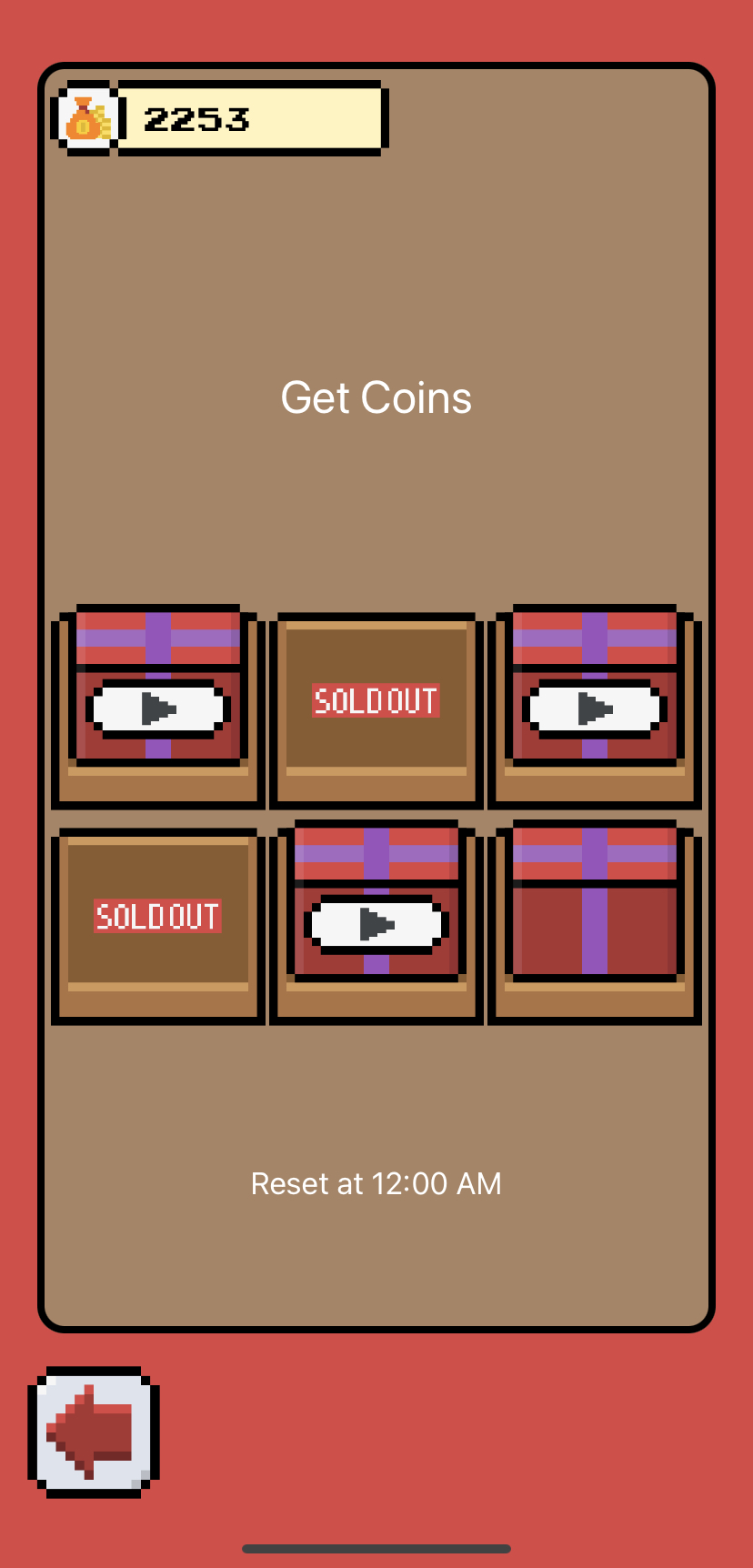
- AdStorage에 마지막 업데이트 날짜 저장
- 현재 날짜가 업데이트 날짜보다 최신이라면 광고를 새로 업데이트함
private var lastUpdate: Date

private func isUpdatable() -> Bool {
    let today = Date()
    let isUpdated = Calendar.current.isDate(today, inSameDayAs: lastUpdate)
    lastUpdate = today
    return !isUpdated
}- FireBase 연동